01
Start from a finished style.
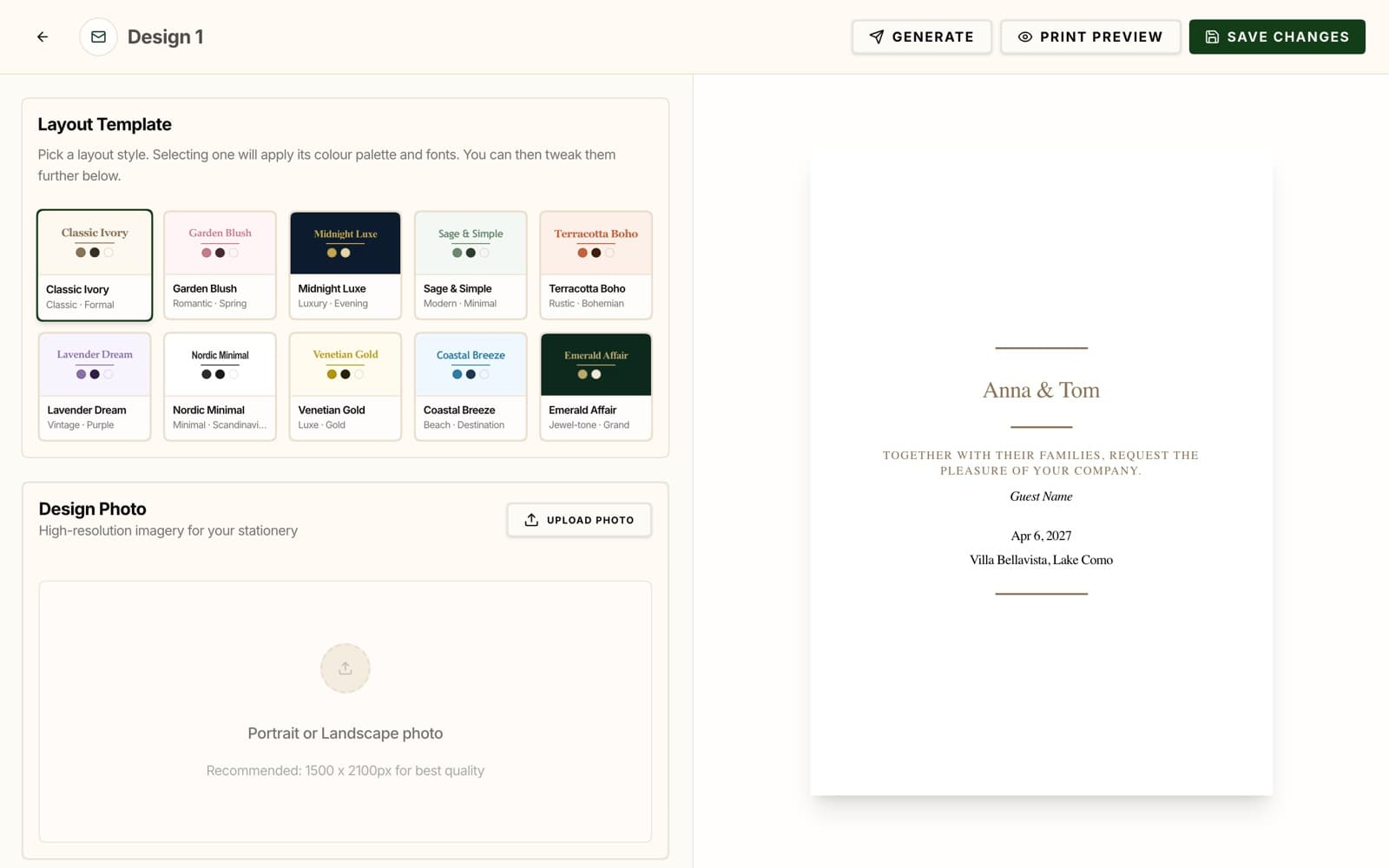
Choose from ten styles, from Classic Ivory and Garden Blush to Midnight Luxe and Emerald Affair. Each one sets the colours and fonts for you, so you have a good-looking card from the first click.
02
Make it yours.
Add your names, the date, the venue, and a personal message. Change the background, text, and accent colours, choose the fonts and their sizes, and add a photo you can crop.
A live preview sits next to the editor, so you see every change as you make it.
- Your names, date, venue, and message.
- Background, text, and accent colours.
- One photo, uploaded and cropped in the editor.
03
One card for every guest.
Select the guests you want cards for, or filter them by event, and DJENETE prepares one card per guest with their name on it.
Print the cards at home or with your printer of choice, or save them as a PDF from your browser's print window. Cards are 5 × 7 inches.
04
Menus and place cards in the same style.
A menu template lists the courses from your event's menu in the style you chose. A place card template prints a fold-over card for every seated guest, with their table, four to a page. Other templates can be a save-the-date, an invitation, an RSVP card, a details card, or a thank-you card.