01
One record for every guest.
Add each guest with a name, email, phone number, side, and relationship. Mark whether they are an adult, a child, or an infant, and record how severe any allergy is, so nobody has to remember it for you.
Search by name, email, or group and filter by side when you need a quick answer, such as how many people the groom's family is bringing.
- Bride's side, groom's side, or both.
- Family, friend, coworker, or other.
- Notes for anything that does not fit a field.
02
Bring your list in instead of retyping it.
Most couples start with a spreadsheet or a phone full of contacts. Download the template as a CSV or Excel file, fill it in, and import it, or import guests from Google Contacts. Addresses, dietary notes, and accessibility needs can come in with the import.
When you need the list somewhere else, export it as a CSV or Excel file.
03
Invite guests to each event.
Not everyone comes to everything. Create the events of your wedding, such as the ceremony, the reception, a welcome dinner, or a brunch, and invite guests to each one separately.
Every guest gets a personal RSVP link. They open it, answer for each event they are invited to, choose their meal, and tell you how many extra adults, children, and infants they bring. Replies that arrive by phone or card you record in the guest list yourself.
- An RSVP deadline for every event.
- Meal choices with a limit per option.
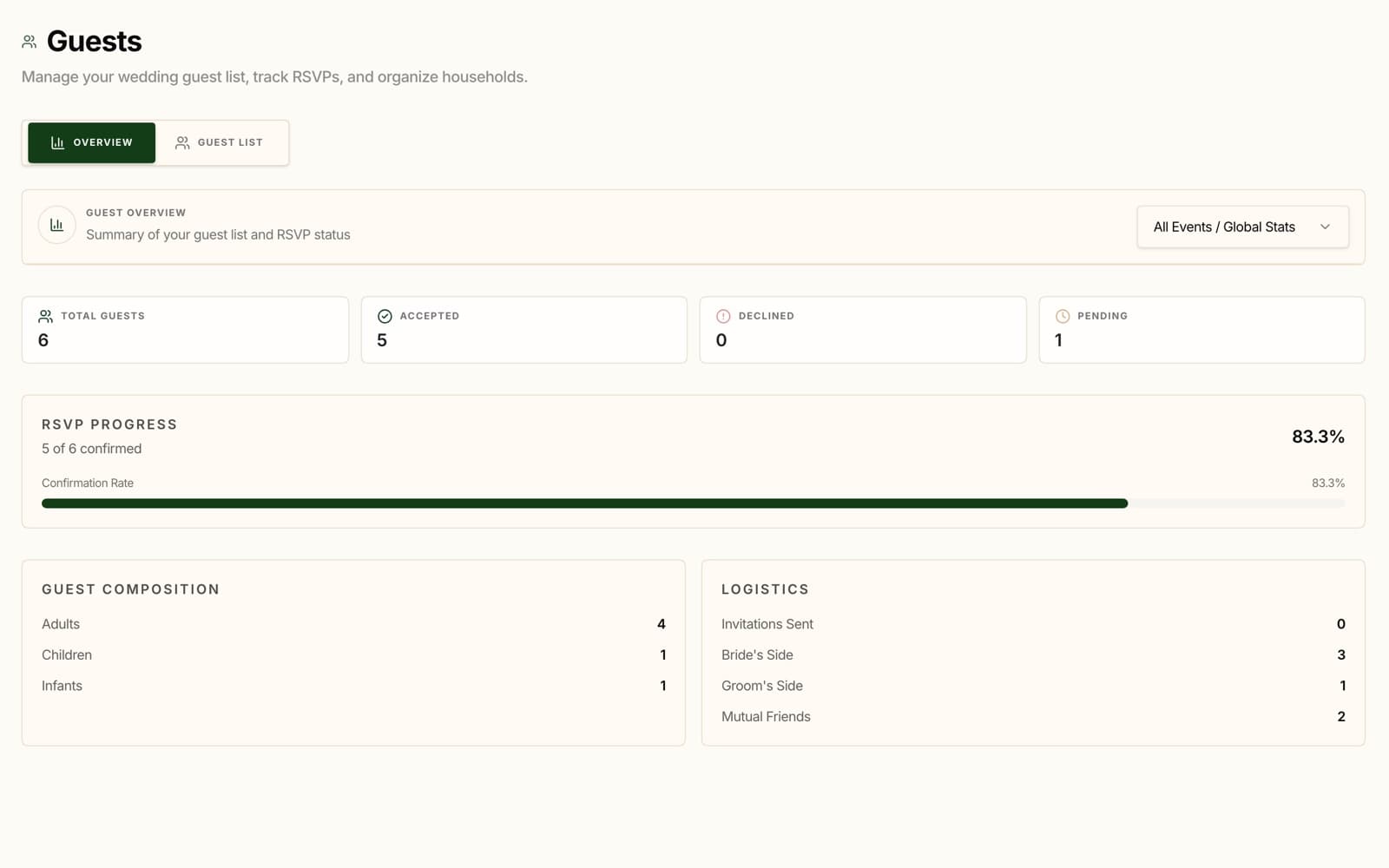
- A guest overview with accepted, declined, and pending counts.
04
Turn replies into the next step.
Once replies are in, drag guests onto tables with a set capacity, and the planner tells you when a table has no room left. Print the seating chart for the venue.
Print an allergy report for your caterer, and let DJENETE check your menu's allergens against your guests' dietary notes. When you need to reach everyone, send an email with each guest's name and personal RSVP link filled in.